Just One Thing!
2024Anti-procrastination app for students
THE PROBLEM
STUDENTS FIND IT HARD TO MANAGE THEIR TASKS AND DEADLINES.
- Target users
- Students struggling with managing time and deadlines.
- User research
- Semi-structured interviews with 2 participants via convenience sampling.
Interviewees
Participant 1
- Year 4 Communications major
- Self-identified procrastinator
- 5 modules per semester
- Uses Notion for workload tracking
Participant 2
- Year 4 Sociology major
- Non-procrastinator
- 5 modules per semester
- Uses Todoist and Google Calendar
Key insights
“Every semester, I always forgot at least one deadline, guaranteed.”
- Users felt that remembering assignment requirements across classes resulted in perpetual cognitive load
- Users struggled to track deadlines across the full semester, especially toward the end
- Large projects, assignments, and exams created avoidant behaviour
Key user tasks
- Collate assignment and exam requirements across classes for quick reference
- Encourage daily tasks for incremental progress on their workload
- Track personal progress and check upcoming deadlines
Feature ideation
Persuasive element: Just One Thing
- Encourage user to complete just one task a day to break inertia
Persuasive element: Streaks
- Apps like Duolingo and Snapchat use daily streaks to build user habits
Anti-procrastination feature: Pomodoro focus mode
- Based on the Pomodoro technique, the user can set 25 minutes of focus time using the app, where they work on a single task
The solution
An app encouraging one daily through gentle, positive reinforcement. Positive feedback → Better self-efficacy → Increased performance
Peifer C, et al. (2020) “Effects of Positive Feedback on Perceived Self-Efficacy, Flow and Performance in a Mental Arithmetic Task.” Front. Psychol. 11:1008.
Wireframing key flows
I created wireframes for the following key user flows:
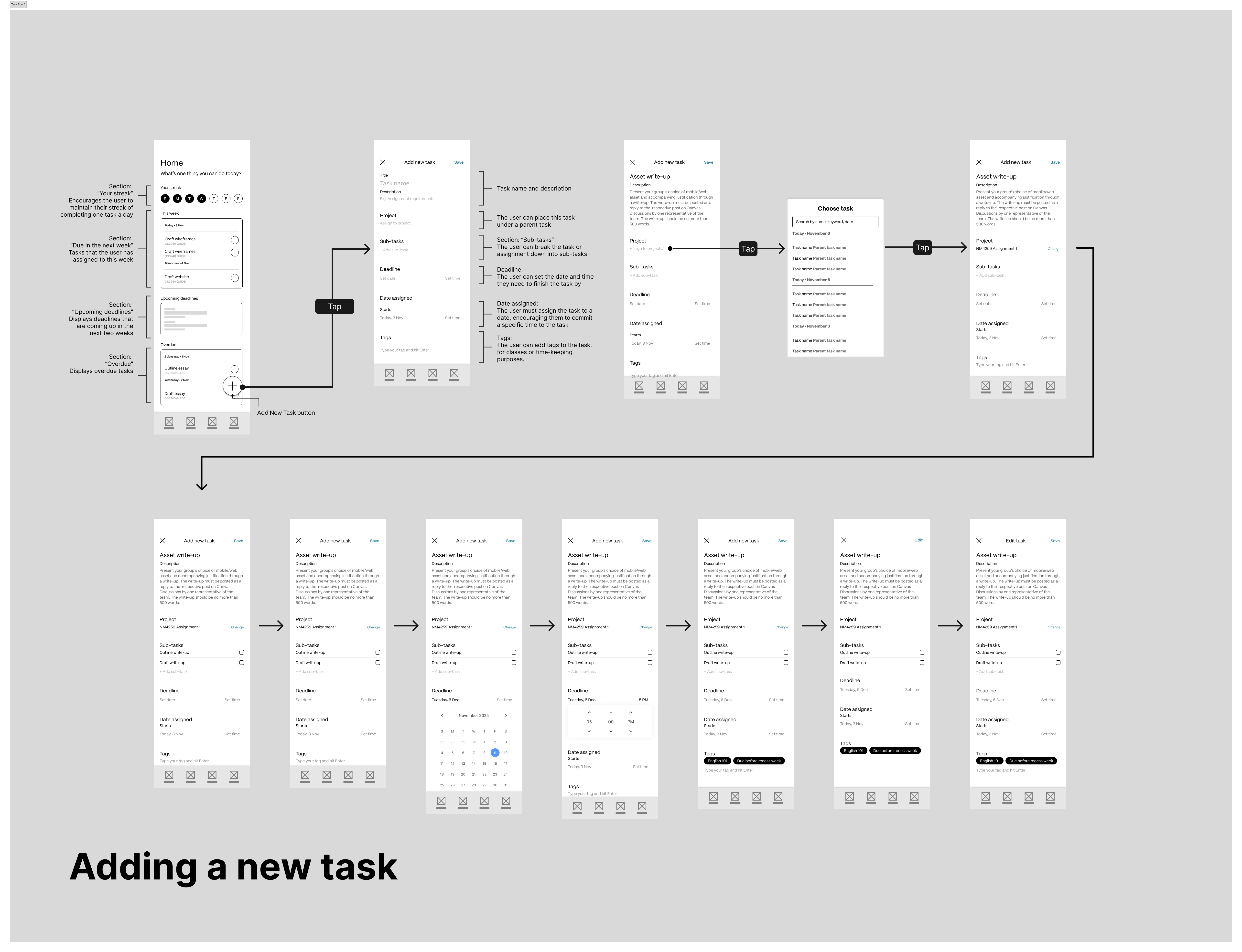
- Adding a new task
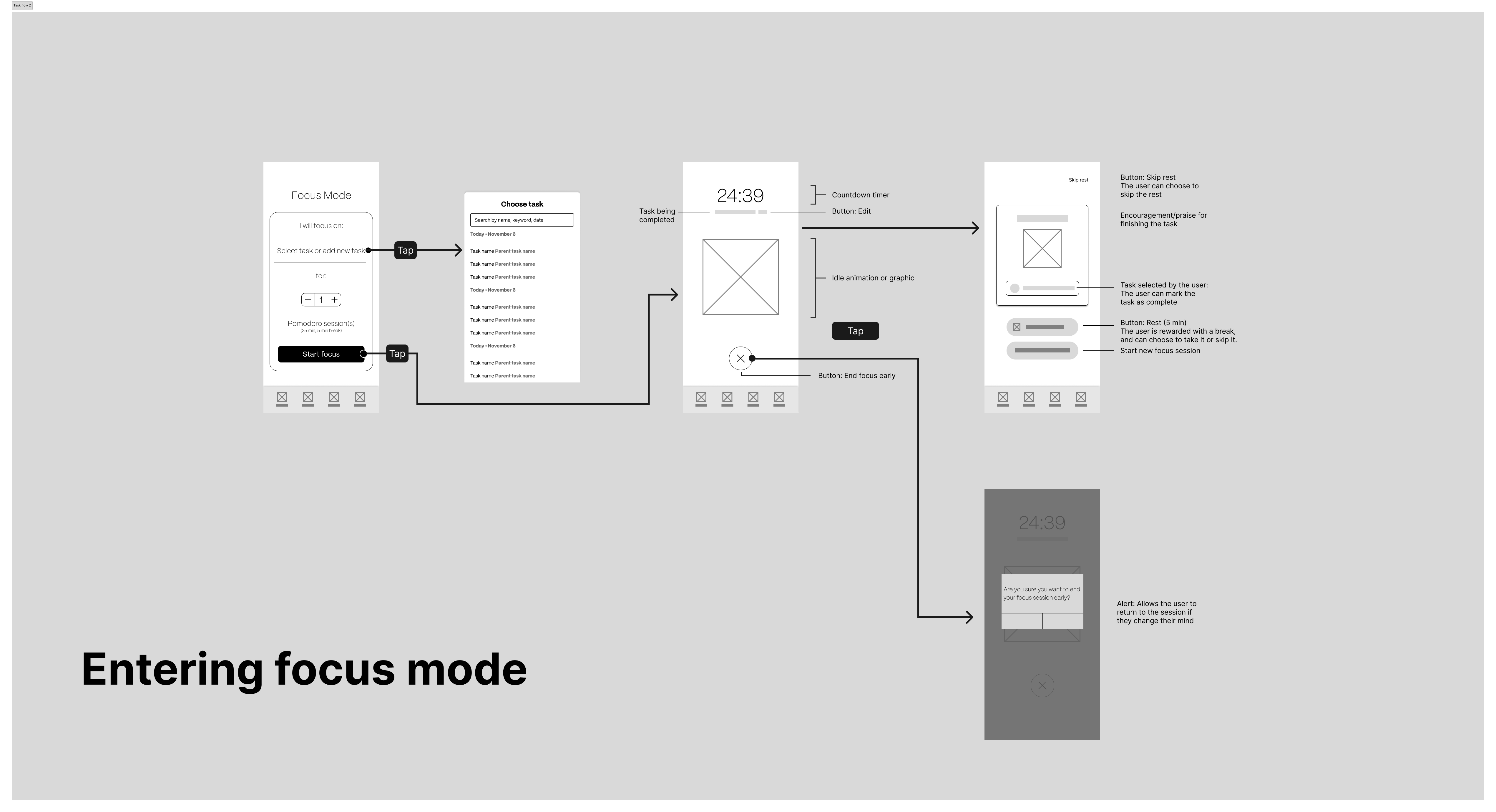
- Entering Focus mode
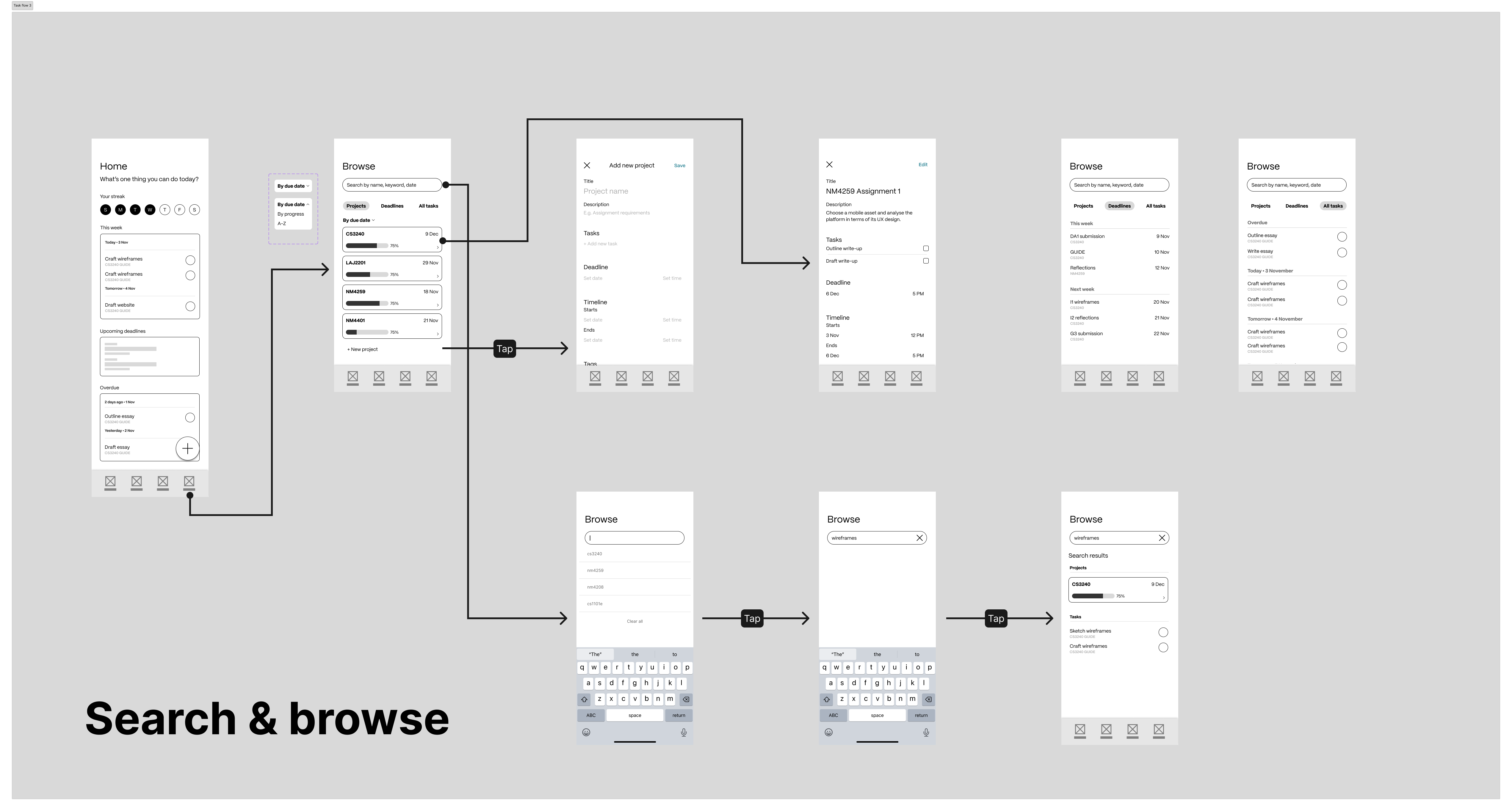
- Searching existing tasks
Final prototype (mid-fidelity)
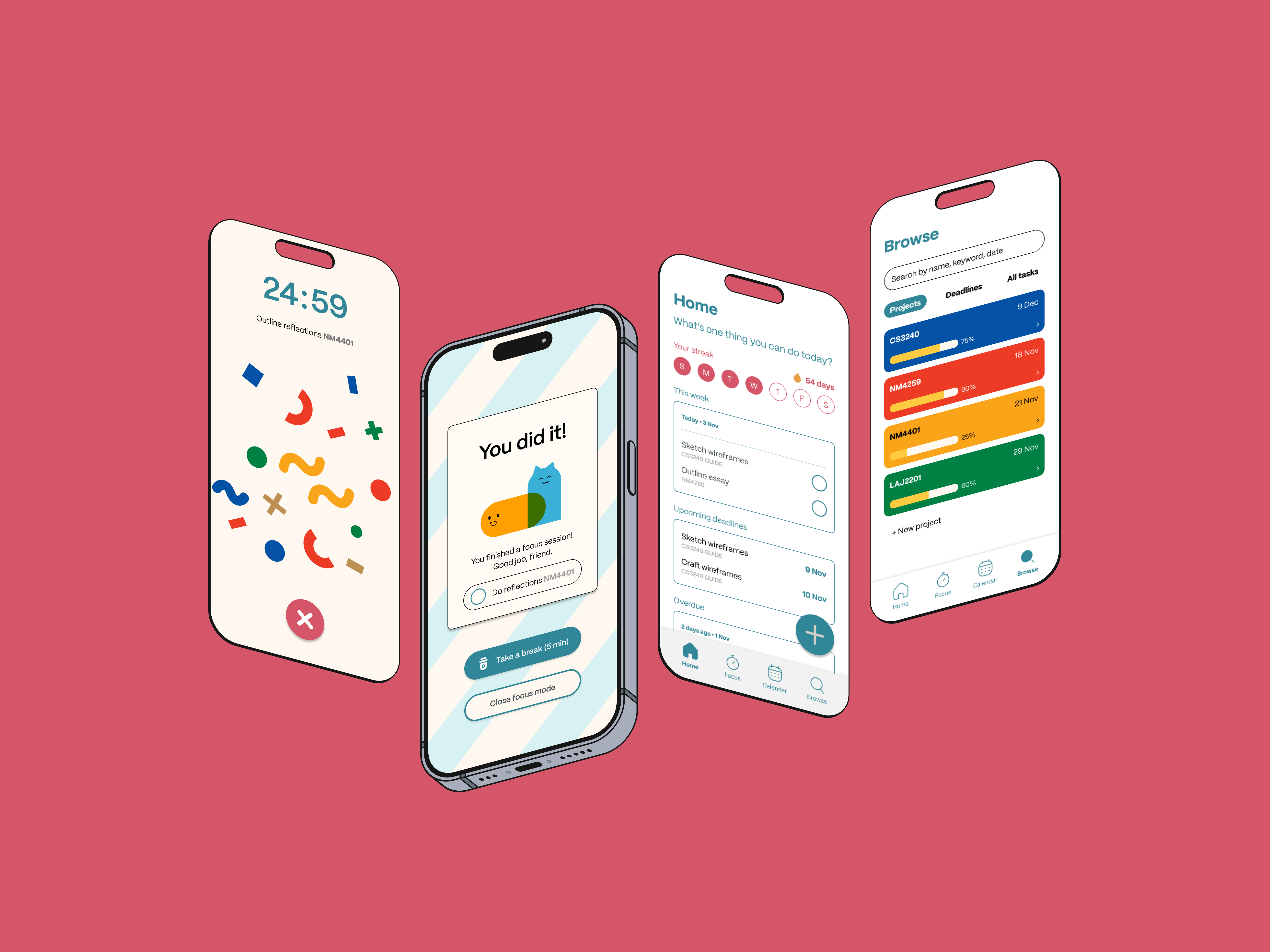
I chose a bright, friendly colour palette for the final designs, aiming for an approachable but uncluttered visual style.
Entering focus mode
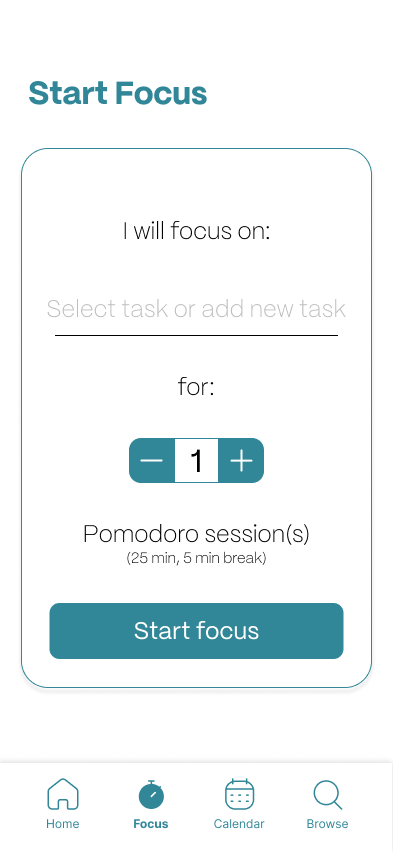
The user can choose a task to focus on, and number of focus sessions.
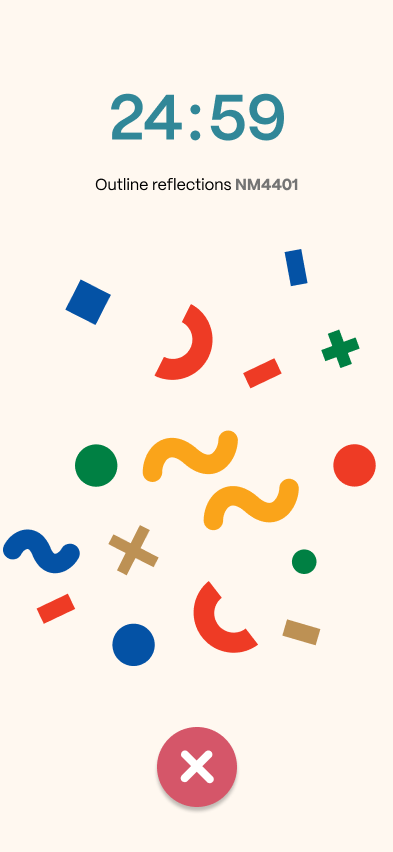
The user starts a countdown timer and a cheerful micro-animation to motivate them.
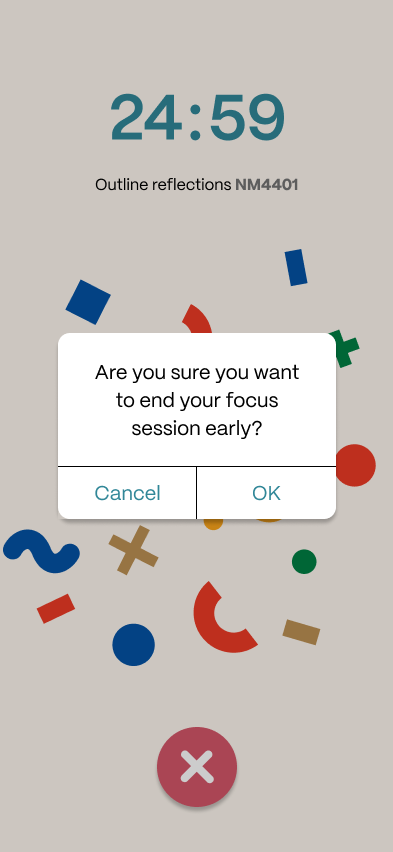
Tapping the Close button will prompt an alert, allowing the user to end their session early.
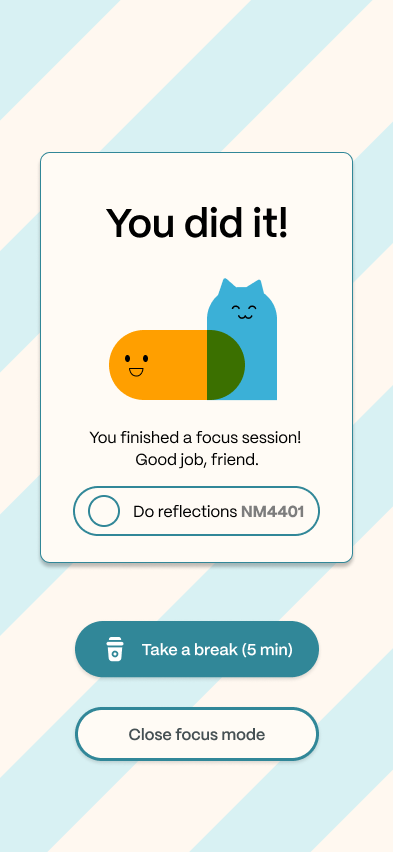
On completing the focus session, the user will view an encouraging success screen.
Adding a new task
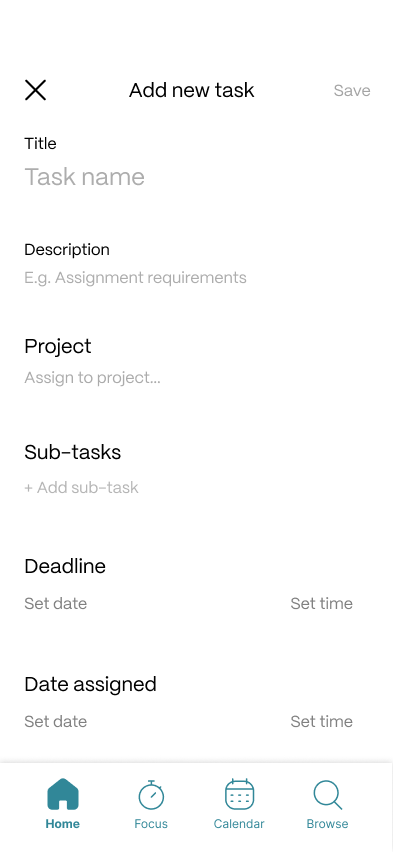
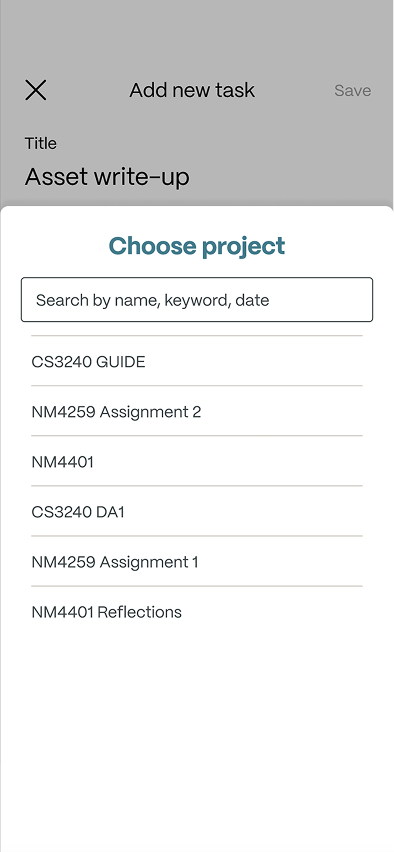
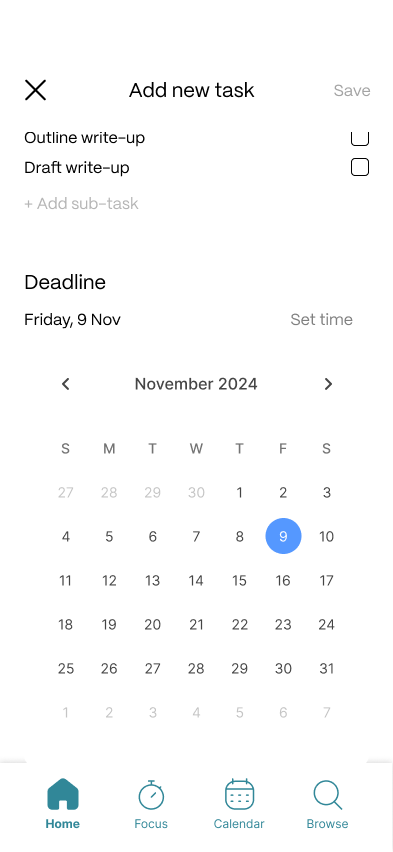
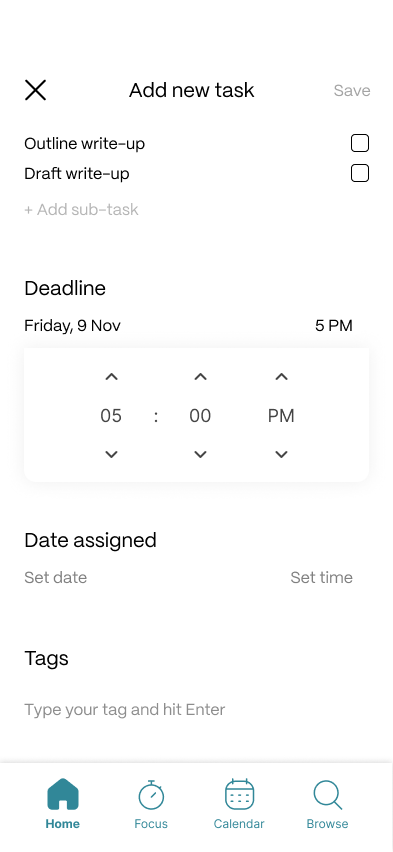
The user can add a new task from the Home page, with title, description etc
The user can assign the task to an overarching project, like a class or a larger assignment.
The user must assign a date to complete the task, encouraging them to use time-blocking.
The user can also break the task down into smaller sub-tasks.
Searching existing tasks & deadlines
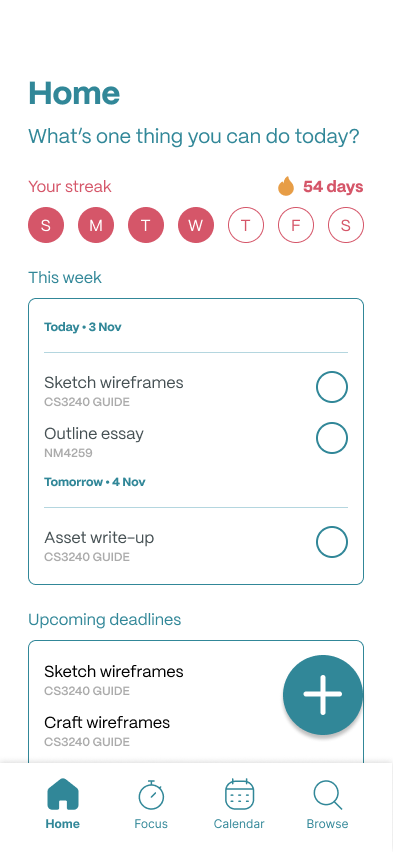
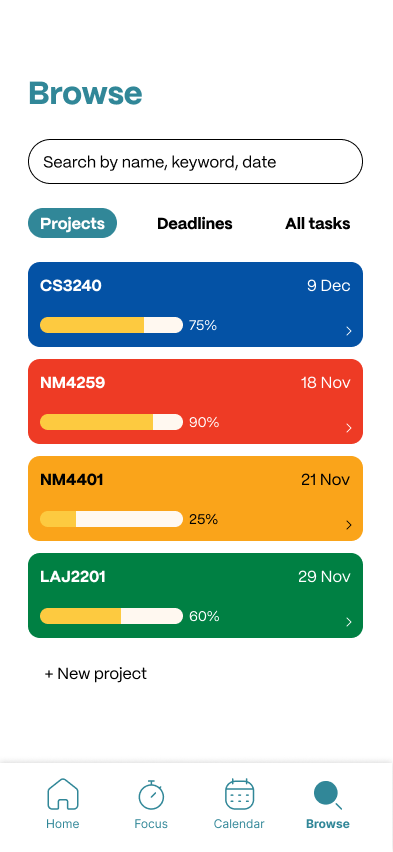
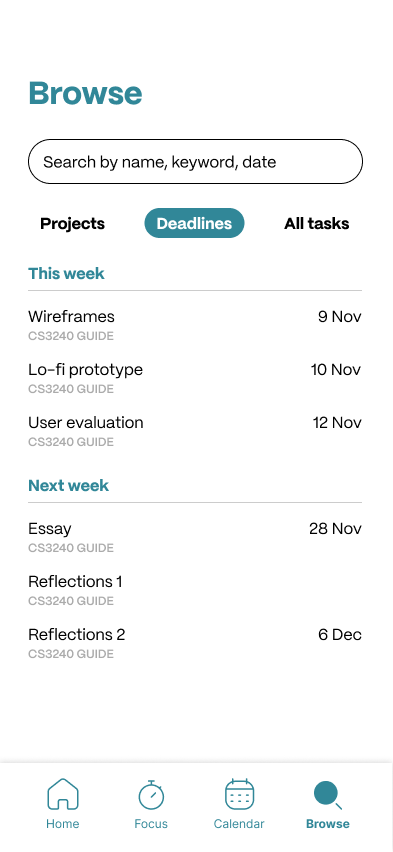
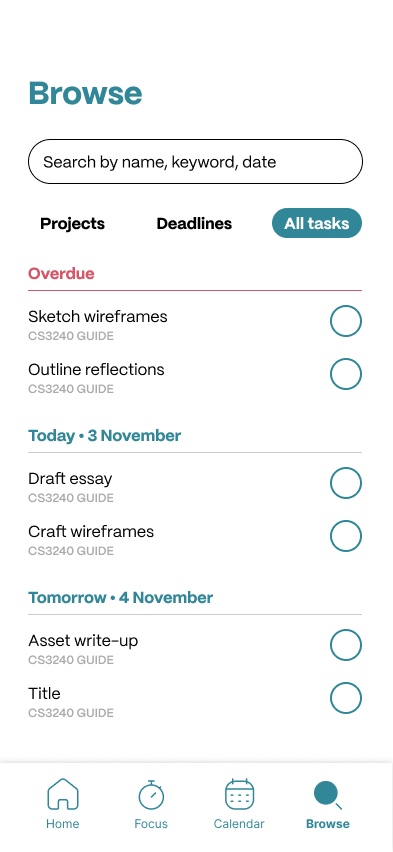
The home page provides an overview of the user’s daily streak, tasks and deadlines.
The user can search or browse by project or module.
The user can view their deadlines at a glance.
The user can also view all tasks in chronological order.
View the working mid-fidelity prototype on Figma.
View prototype →Final thoughts
This project explored design’s potential for positive behaviour shaping. Rather than treating procrastination as a discipline problem, JOT! treats it as a systemic one — expanding opportunities for students who struggle most.
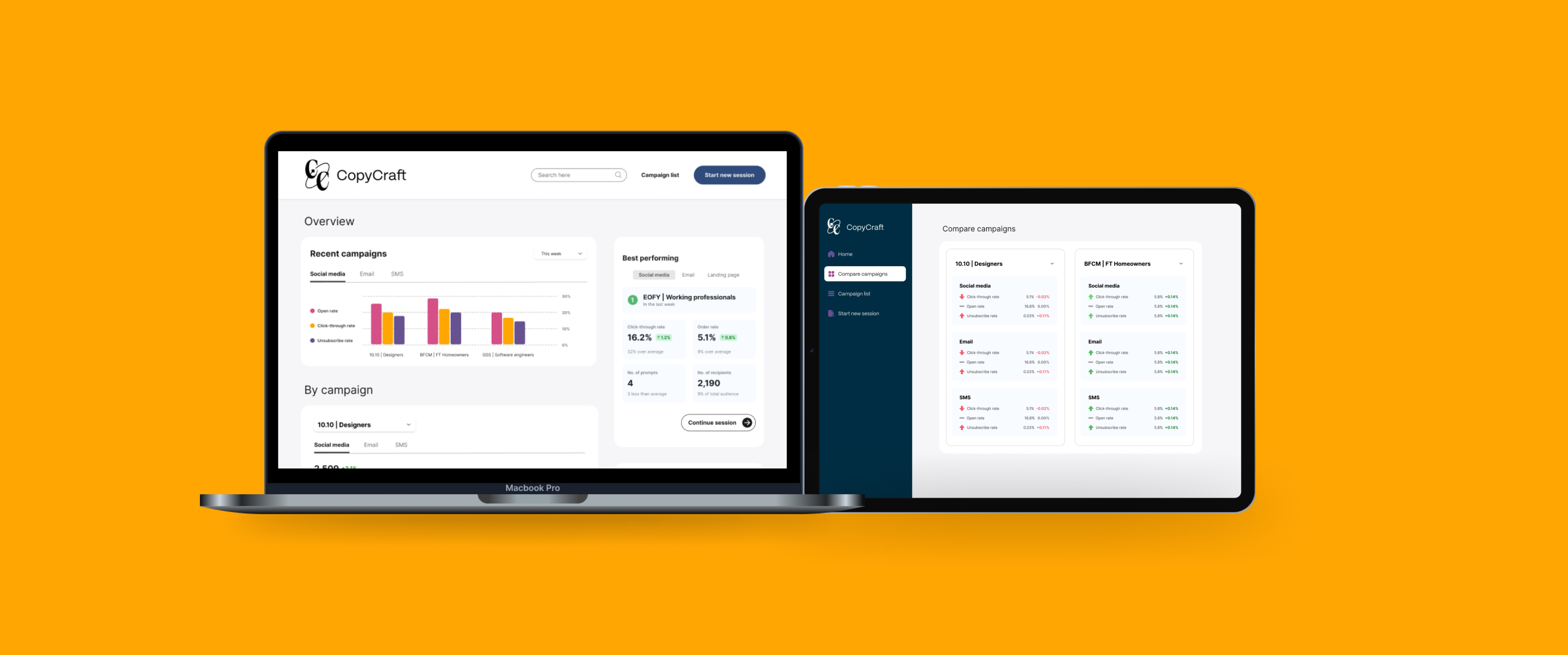
CopyCraft
AI-assisted dashboard for copywriters
A dashboard for copywriters to track, compare and craft cross-platform campaigns using ChatGPT.