CopyCraft
2024AI-assisted dashboard for copywriters
THE PROBLEM
CHATGPT CAN WRITE COPY. IT CAN’T BUILD MARKETING CAMPAIGNS.
When ChatGPT sessions get repetitive, it’s hard to find that one session where you curated the perfect copy; the one that’s really doing numbers for your latest marketing campaign.
- So what?
- The chat format of most AI tools makes it difficult to track, organise and improve on past sessions. Design opportunity: a dashboard that supports the copywriter in tracking ad analytics and adapting past campaigns.
- Target users
- Copywriters managing copy for multiple products, platforms and target audiences.
- User research
- Semi-structured in-person interviews with 3 copywriters: a junior freelance copywriter, a senior SME e-commerce copywriter, and a copywriting intern at a local F&B brand.
Interviewees

Junior copywriter
Freelance. Works across branding, social media, and website UX copy.

Senior copywriter
SME e-commerce company. Manages EDMs, desktop, and mobile copy.

Copywriting intern
Local F&B brand. Works across social media, websites, and delivery apps.
Key metrics
Click-through rates for AI-assisted campaign copy
Unsubscribe rates for AI-assisted campaign copy
Number of prompts for a satisfactory draft
Insights
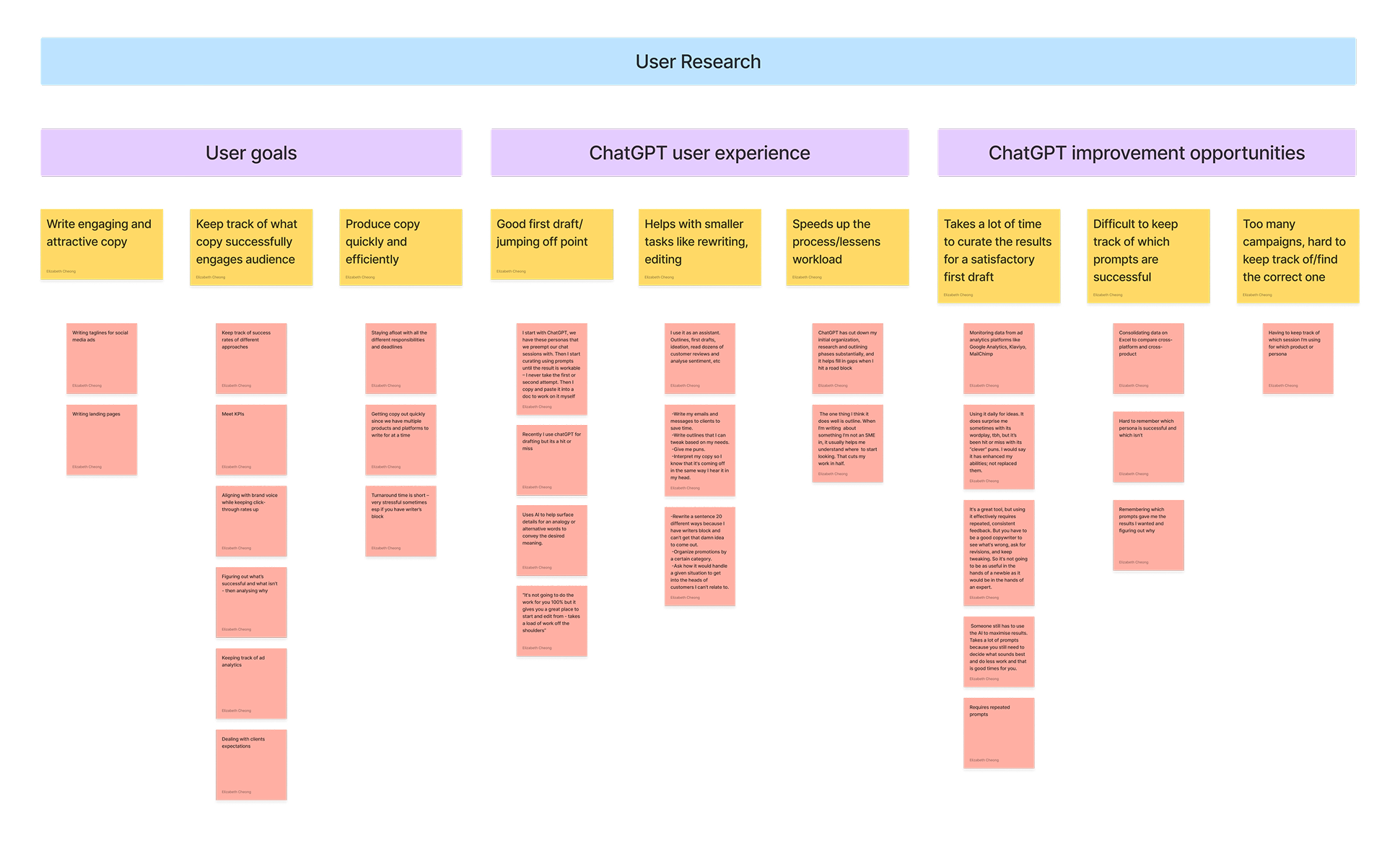
- Users felt that the chat format of ChatGPT became difficult to use with too many sessions
- Users felt that the time taken to curate satisfactory copy from ChatGPT was slowing down their workflow
- Users found a disconnect between their writing workflow and their other analytics tracking responsibilities
Affinity mapping
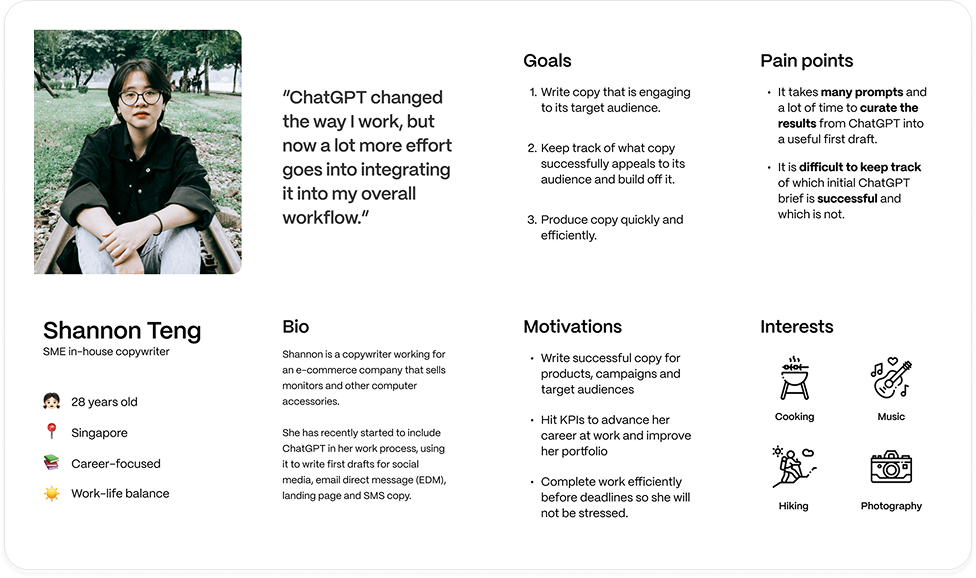
Persona
Problem statement
Copywriters use ChatGPT to write compelling copy. However, it can be difficult to keep track of which prompts are the most and least successful, in terms of click-through rates, unsubscribe/unfollow rates, and time taken to curate the ChatGPT responses.
How might we…
Provide a clear overview for ad analytics data?
Support users comparing data for different campaigns?
Allow users to easily customise campaign prompts for AI-assisted writing sessions?
The solution
DASHBOARD
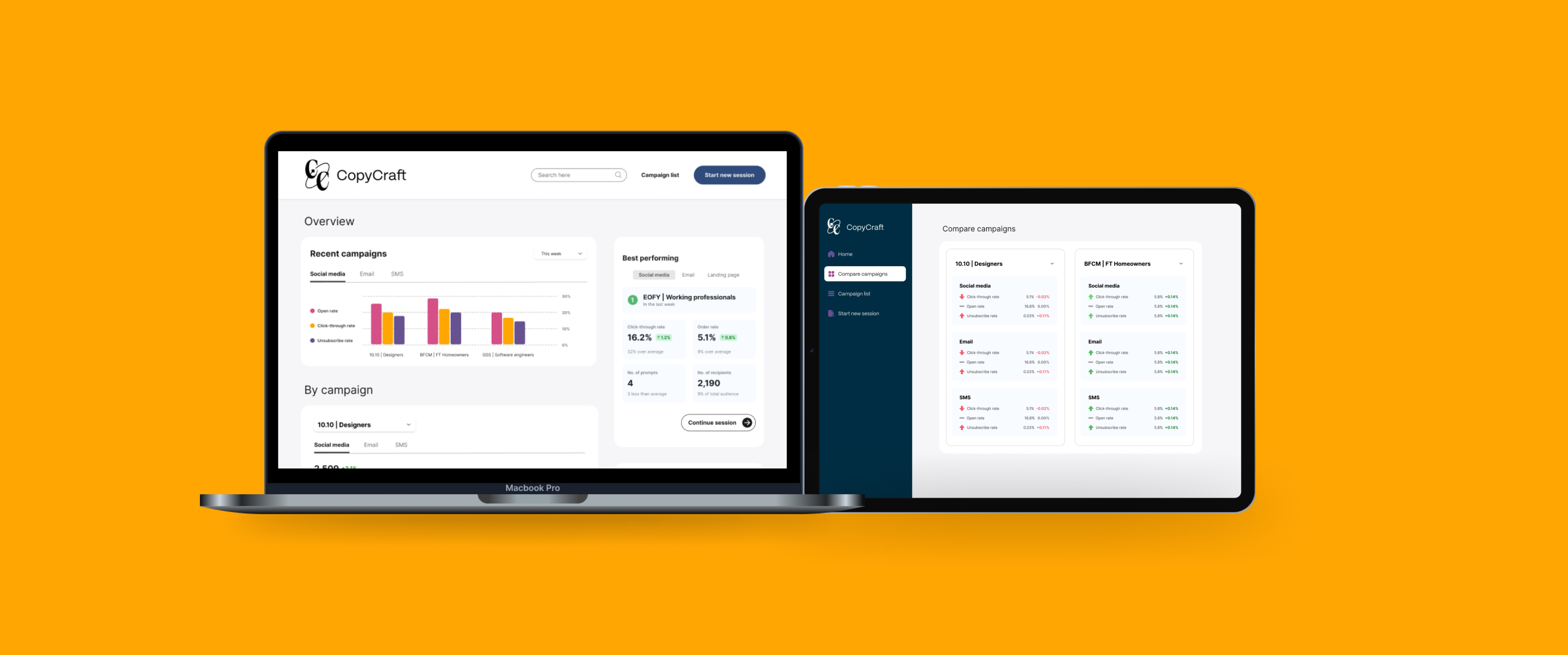
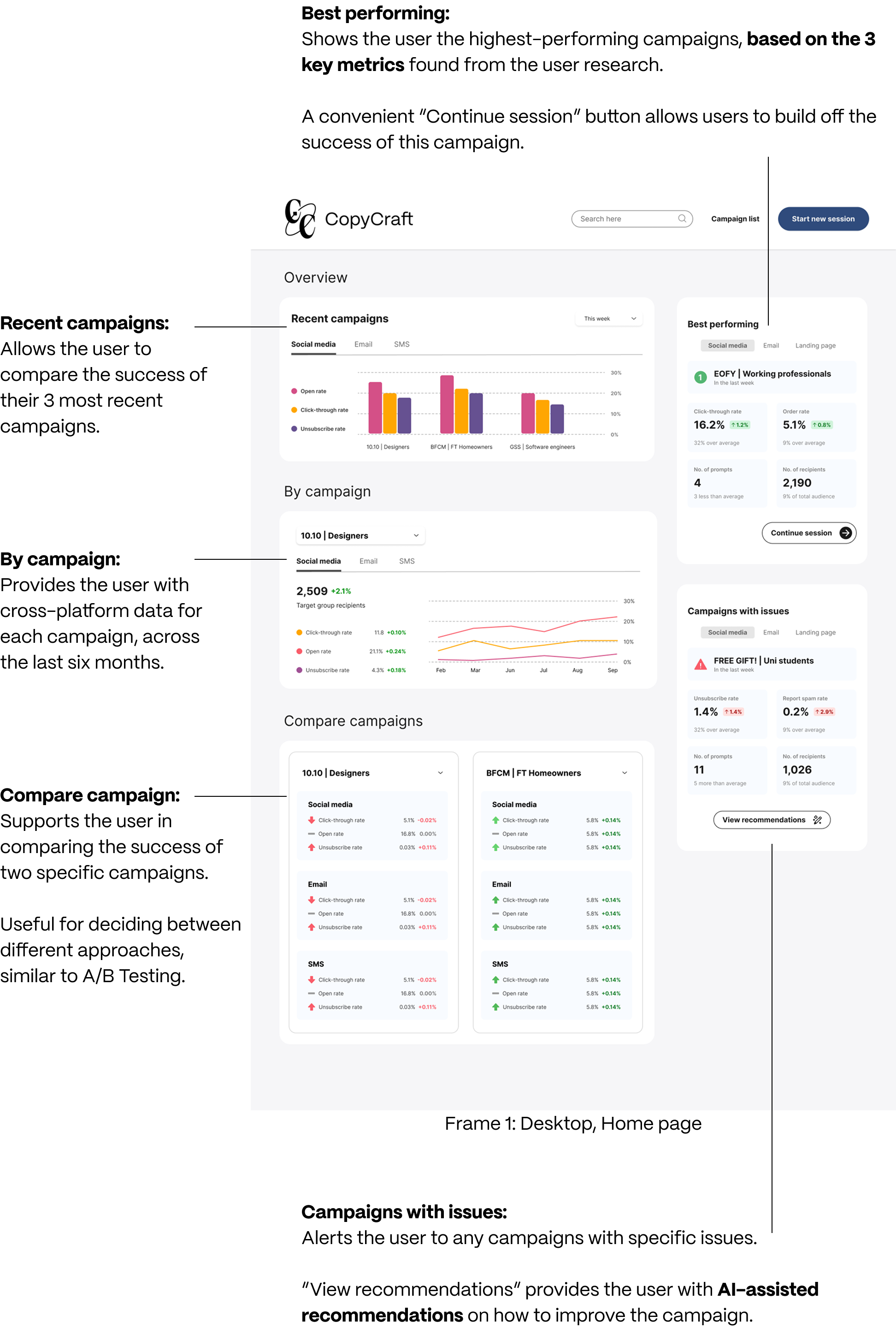
A dashboard that integrates ChatGPT and ad analytics trackers like Klaviyo, Mailchimp and Google Analytics.
The dashboard helps copywriters to easily track key metrics — click-through rates, unsubscribe rates, number of prompts.
PROMPT CREATOR
A prompt creator form that allows copywriters to initialise ChatGPT sessions quickly and easily, supporting the user goal of efficiency.
Initial design exploration
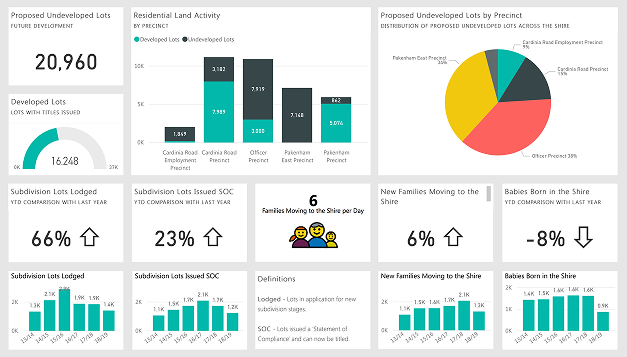
I looked to common ad analytics trackers for inspiration: Klaviyo, Mailchimp, and Google Analytics. These dashboards first provide an overview of information, then narrow down to allow the user to compare performance of specific campaigns across platforms.
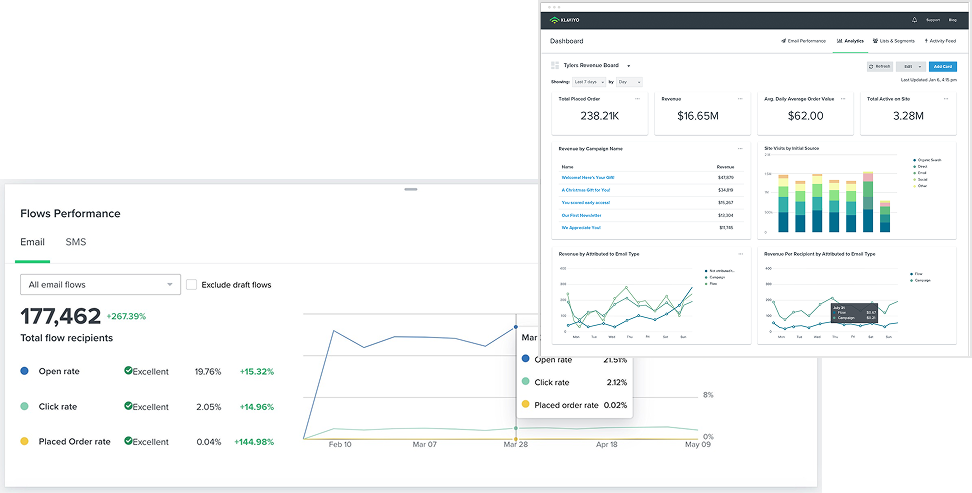
Power BI prioritised consistency and clarity over aesthetics. The highest level of information was placed at the top before providing more granular data views below.
Wireframes
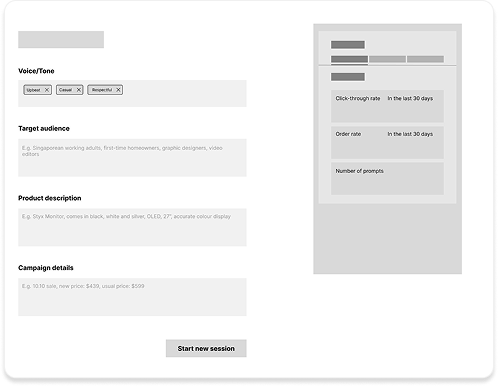
Based on my findings, I chose a card-based approach: modular, compact, and concise.
Wireframe 2: Desktop, Prompt Creator view
I also designed an initial prompt creator for ChatGPT, for the user goal of producing copy quickly and efficiently.
The user is able to input their desired tone, product and campaign details, and are taken to a ChatGPT session initialised with this prompt.
Final prototype (hi-fi)
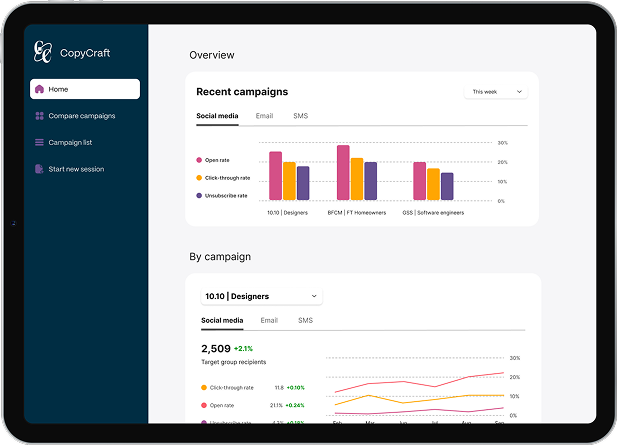
In the transition to high-fidelity, I focused on providing the user with a variety of methods to interpret data from the ad analytics tracker.
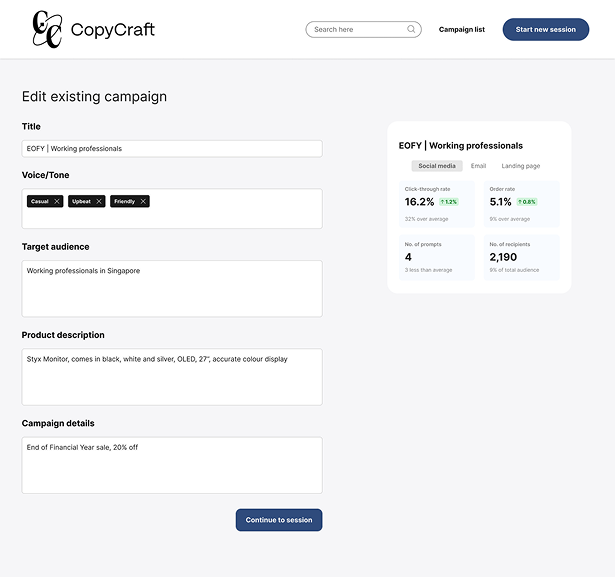
Prompt Creator
The Prompt Creator page streamlines the process of writing an initial set-up prompt for each session. Users quickly fill in the campaign’s voice, target audience, product and other sale details — then go straight to a ChatGPT session initialised with those details. If editing an existing campaign, the user can also see that campaign’s statistics for reference.
Dashboard view
Tablet view
With a tablet view, campaign analytics are within easy reach without disrupting the writer’s workflow. The dashboard is split into different tabs in the side navigation, according to user intention.
View the working mid-fidelity prototype on Figma.
design•accessibly
Accessibility resource for product designers
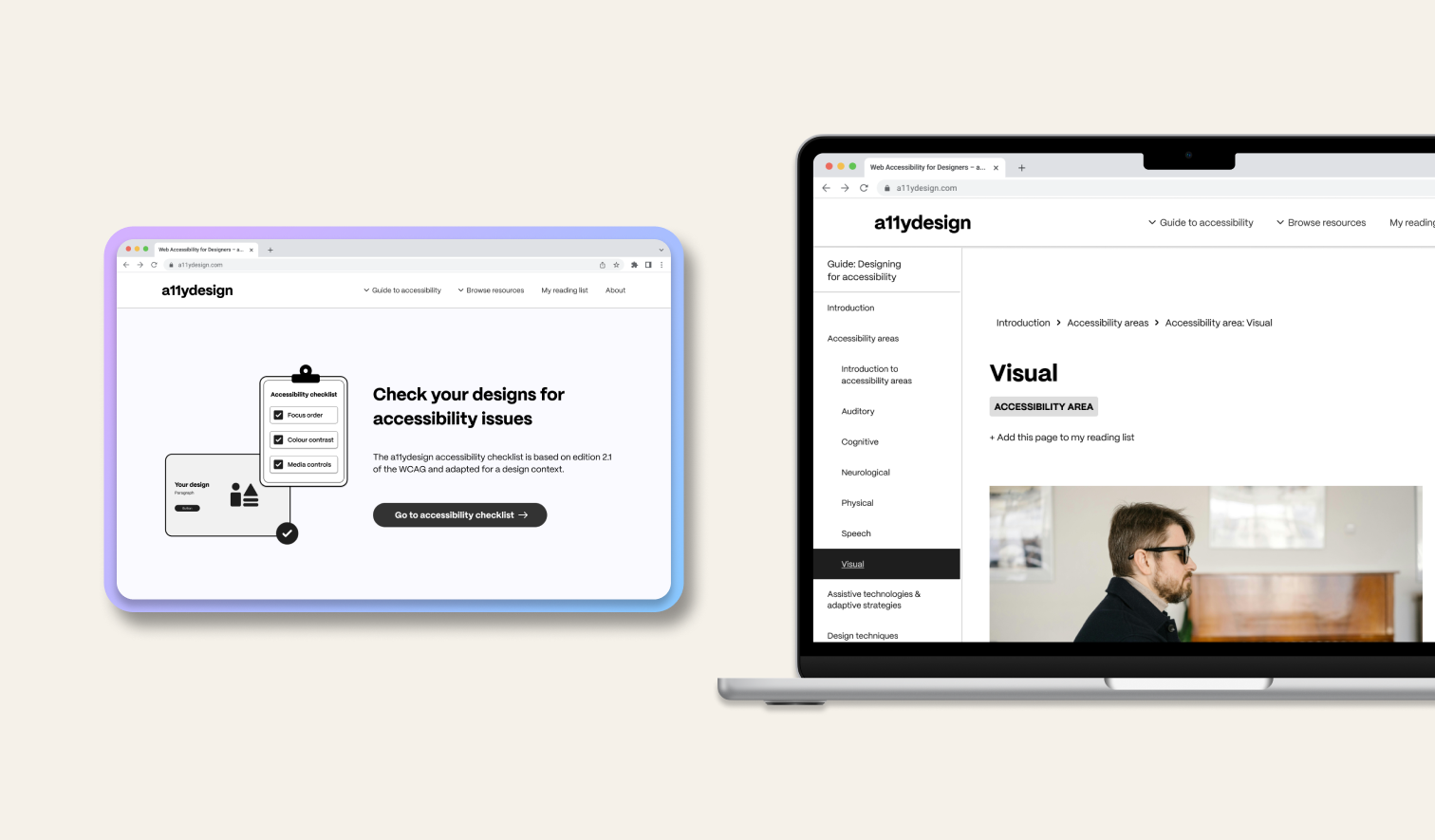
A resource library on accessibility for product designers of all backgrounds.